
Guide to Protecting 3D Printer Filament from Moisture: Signs of Wet Filament and Storage Methods
This article was translated automatically from Turkish by AI; in case of doubt, the Turkish original prevails. Read the Turkish original
Most FDM filaments absorb humidity from the air, leading to stringing, popping sounds, and weak layer adhesion. Learn to recognize signs, choose storage based on use frequency, handle sensitive materials, and establish a simple storage routine in this practical guide.
Why It Matters
According to Creality's guide dated October 8, 2026, nearly all FDM filaments are hygroscopic, meaning they absorb moisture from the air even in a normal room. Some materials do this more slowly, but none are completely immune. Beyond moisture, heat can soften the plastic and warp the spool, sunlight can degrade some polymers over time, dust can settle on loose coils and clog the nozzle; dropped spools and exposed ends also accelerate wear.
Is Your Filament Wet? Signs to Look For
Watch for these signs during printing: bubbling or thin steam at the nozzle tip, sizzling or popping sounds, excessive stringing between parts, uneven or rough extrusion, layers separating with light pressure, and filament breaking instead of bending.
Not all these issues stem from moisture. Before declaring a spool wet, check print settings, nozzle condition, and printer mechanics; a partially clogged nozzle or loose extruder gear can show similar symptoms.
Storage Methods
Original, resealable packaging: sufficient for new or rarely opened spools; slows moisture intake but doesn't remove it and loses effectiveness with frequent opening. Vacuum bags: suitable for spare spools when fresh desiccant is added; impractical for daily use and a single puncture can ruin the setup.
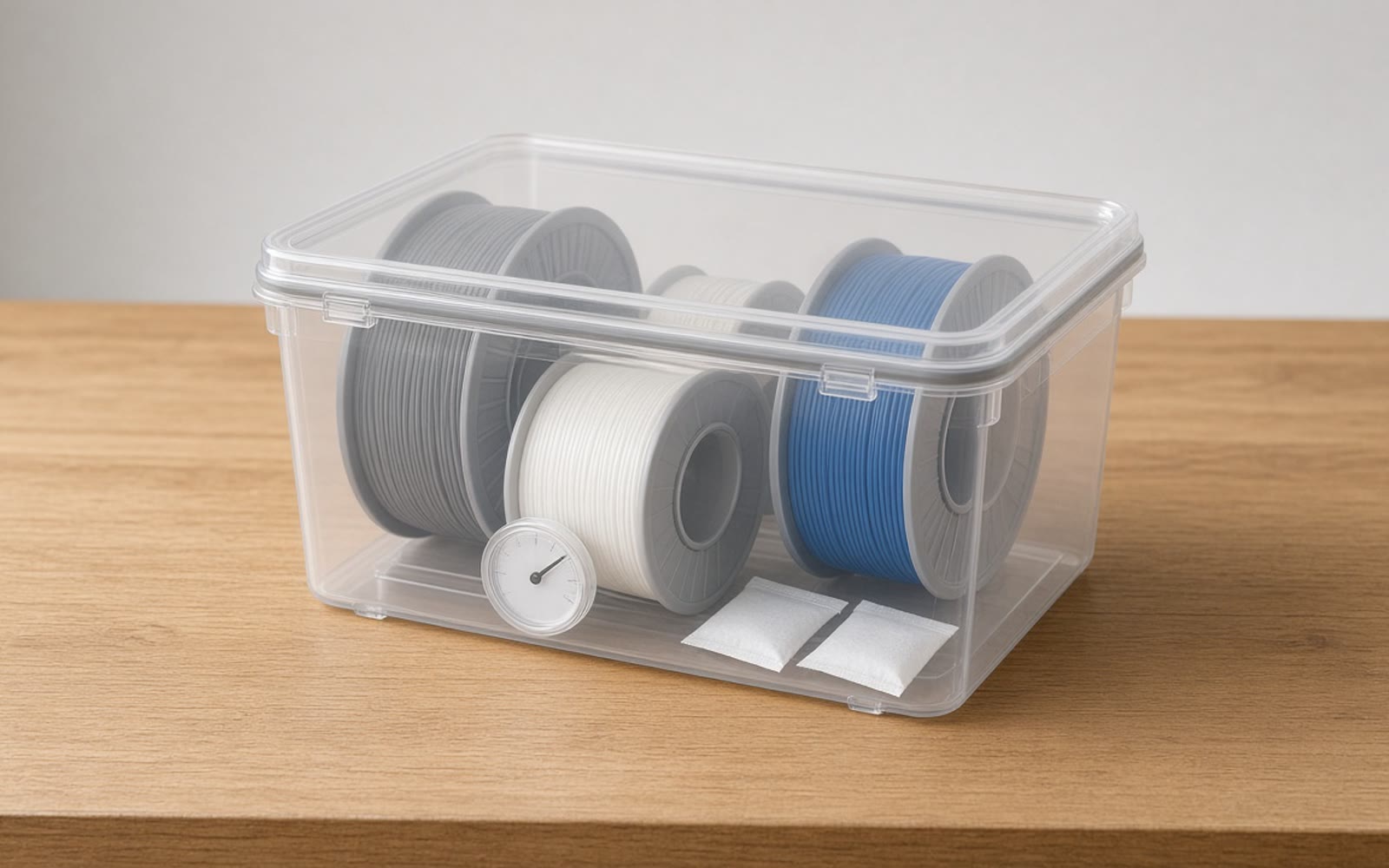
Airtight boxes with sealed or locking lids: ideal for storing multiple spools together; add a desiccant appropriate for the volume and, if possible, a hygrometer. Passive dry boxes: keep frequently used spools at low humidity; some feed filament directly to the printer, but don't dry already wet filament. Heated filament dryers are for actively drying material showing moisture signs and for moisture-sensitive materials; follow the dryer and filament manufacturer's instructions for temperature and duration, and don't use a home oven as a dryer.
Material-Specific Needs
PLA and PETG absorb moisture more slowly and forgive small errors; keeping them sealed between sessions and a simple airtight box is usually enough. TPU, nylon (PA), PC, PVA, and carbon and glass fiber composites absorb moisture faster. This group requires tighter sealing, closer monitoring, and more frequent drying. The source emphasizes that moisture limits and drying programs vary by brand and formulation; so instead of applying a single rule to all materials, follow the spool manufacturer's recommendations.
A Simple Storage Routine
Attach a label to the spool stating the material and open date. Check for signs before printing; if there's popping, stringing, or brittleness, simply sealing it isn't enough, drying is necessary. Seal the spool immediately after every session. Keep desiccant fresh, replacing or reactivating it when saturated. Use a hygrometer in containers storing multiple spools. Do a quick visual and manual check before printing. Note which spool you dried, when, and for how long; over time, this will help you identify recurring issues.
Sources
- Creality – 3D Printer Filament Storage: How to Keep Every Spool Dry and Print-ReadySource date: 8 October 2026
Rate this article
Your rating is stored in your account; everyone else sees only the average and the number of ratings. Details on the Privacy page.