Laser QR code engraving: code type, size, and material
This article was translated automatically from Turkish by AI; in case of doubt, the Turkish original prevails. Read the Turkish original
A QR code engraved on wood, metal, or acrylic cannot be changed later. xTool Academy's guide from 25.11.2026 explains the difference between static and dynamic codes, sizing by scanning distance, the four-module quiet zone, laser type by material, error correction, and grid testing on scrap material.
Why a permanent code needs planning
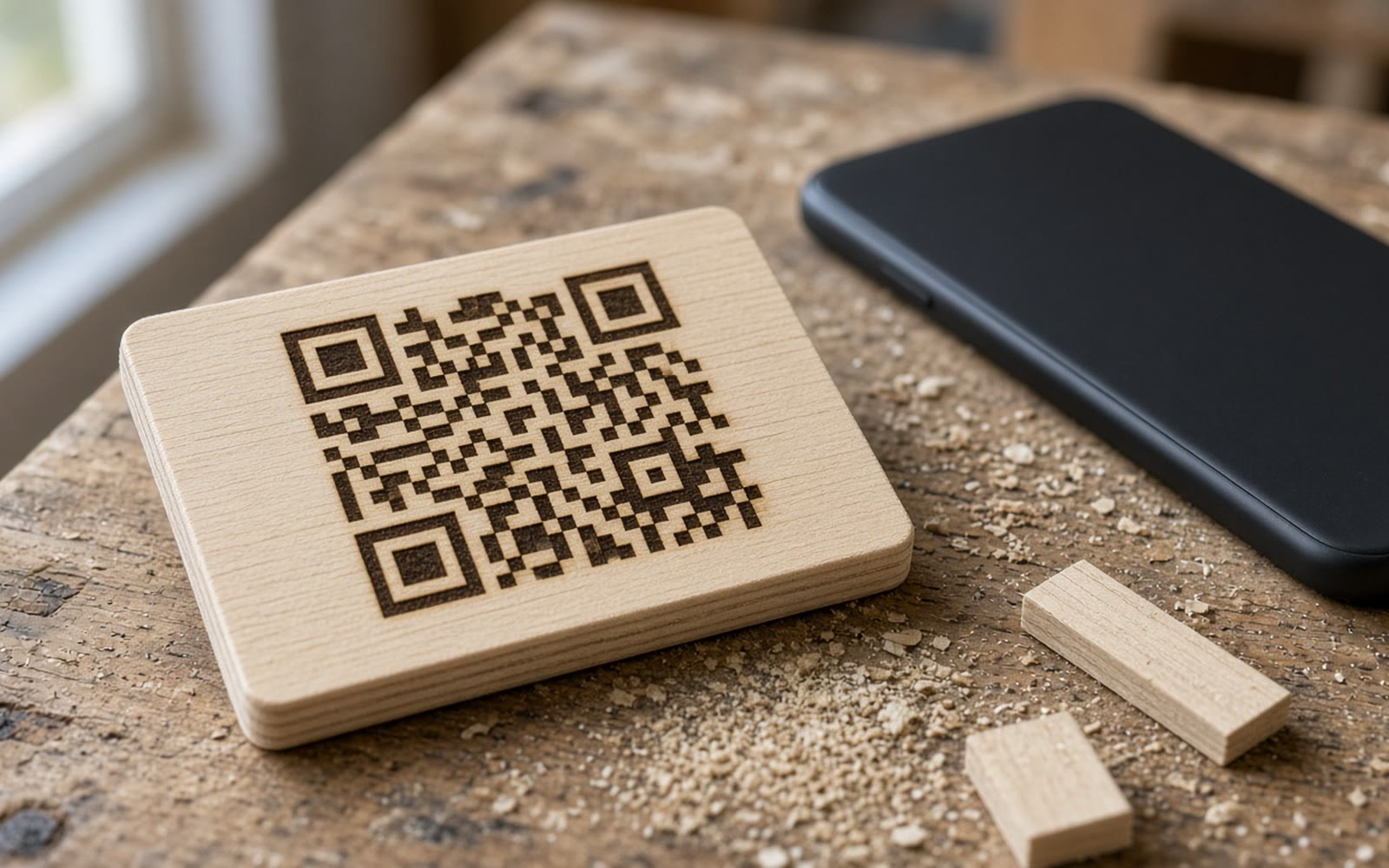
A laser-engraved QR code permanently links to a surface but the content cannot be modified after engraving. xTool Academy's guide from November 25, 2026, states that a piece pointing to an incorrect or obsolete address becomes unusable. This article relies on the guide's choices: code type, size, material and laser matching, error correction with pre-scan testing.
Static code, dynamic code, and self-redirecting
A static QR code contains the web address, Wi-Fi info, or contact details within itself. It doesn't link to a service, doesn't expire, and requires no extra fee. The content never changes: if the page moves, the code remains a dead link; a changed Wi-Fi password makes the designation void as well.
A dynamic code stores a short link from a QR service; scanning redirects to the actual page, and the target can later be modified. The guide notes most services charge monthly or yearly fees; if the payment stops or the service closes, engraved codes will cease to function. For lasting purposes, the same source suggests directing a static code to a short address on your own domain so the page can subsequently redirect to any target. This way the target can change without relying on a service other than the domain itself.
Size, content, and quiet zone
Size is determined by the phone's viewing distance and the data carried by the code. The guide's rule is the scan distance should be roughly ten times the code's width: at least 15 mm for a label read from 15 cm, or about 90 mm for a wall sign viewed from 90 cm. For short content on metal, about 10 mm with fiber or MOPA, 15-20 mm safer on wood due to burn spread, with several sizes tested on scrap.
As content lengthens, the number of small squares (modules) increases. The source notes a short link fits in a 25×25 module, while a lengthy link with tracking might exceed 40×40, making each square smaller; a quiet zone, a strip four modules wide, should be left on each side - text, cut edges, or other engravings entering it often disrupt scanning.
Material and laser type
According to the guide, a laser that leaves a clear and contrasting mark can produce a readable QR code; what varies is the laser type and mark color. Diode or CO2 lasers produce dark marks on wood, plywood, MDF, and vegetable-tanned leather. CO2 or UV lasers create frosted white marks on clear acrylic; a diode's blue light passes through clear acrylic and glass making it ineffective, while UV is recommended for glass. On black or colored acrylic, a diode, CO2, or UV creates light, negative codes. Anodized aluminum with a diode, infrared (IR), or fiber leaves bright metal on dark coatings. Diodes don't suffice for bare stainless steel; IR, fiber, or MOPA is needed (MOPA makes black, IR usually dark gray).
For wood, light-colored, fine-grained types (maple, alder, birch plywood) are recommended; prominent grains in oak or pine can split modules. A code on clear acrylic reads better in front of a dark background or engraved and painted on the back side. On slate, anodized aluminum, and dark acrylic, negative codes with light modules appear; most current phone cameras read these, but some older phones and handheld scanners may not.
Error correction, grid testing, and scanning
Creating the code as a vector ensures crisp edges; tracking screenshots can round corners or merge squares. The guide lists error tolerance at 7, 15, 25, or 30 percent. For most tasks, 15 percent is advised; for scratchable pieces, 25 or 30 percent; with a central logo, 30 percent. The logo should be small and centered, avoiding the three large corner squares and leaving space around it.
A power and speed grid is run on scrap material of the same type before the main piece. Each cell is scanned with a regular phone camera. From the first-read cells, a medium one is chosen; not the darkest, as too much power on wood and leather causes burn spread and merges modules. The finished code is scanned from its intended distance, preferably with both an iPhone and an Android phone. The source also advises cleaning the surface, placing the piece on the bed, and closing the lid before starting.
Things to consider
PVC imitation leather isn't used with lasers; the guide mentions it could release chlorine gas when engraved. This article isn't a product promotion; it doesn't include machine or software recommendations. Size, ratio, and material matches follow the source's own explanations; actual results may vary based on the material, machine, and settings.
Sources
- How to Laser Engrave a QR Code That Still Works Years LaterSource date: 25 November 2026
Rate this article
Your rating is stored in your account; everyone else sees only the average and the number of ratings. Details on the Privacy page.